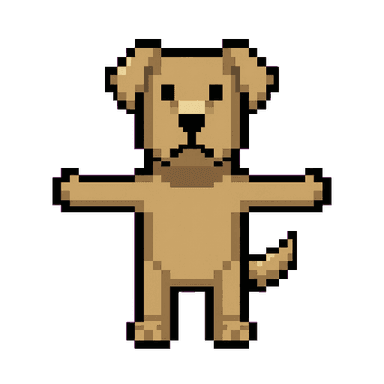
Pixel Art Mascot Generator
A crisp, retro sprite strictly aligned to a low-resolution pixel grid. Hard edges, a limited flat color palette, and a single consistent light source — the way 16-bit-era character art actually looked. Most pixel-art indie games today land in that 16-bit range. That's roughly 16x16 to 32x32 pixel sprites, with 16-32 colors and light dithering. True 8-bit is stricter: 8x8 pixels, only 4 colors, no dithering at all. 16-bit balances real visual richness against a small, fast-loading file size. Mascofast generates in that same range — detailed enough to have real character, restrained enough to stay authentic.
Generate a Pixel Art MascotHow to generate one
Describe your character in plain language — Mascofast handles the grid alignment, palette limits, and pixel-perfect edges automatically. You'll get a sprite-style reference image, plus the option to generate additional poses for a consistent character across different game states.
Why this style
Pixel art isn't just a nostalgia filter. It's a genuinely practical style for solo and small-team developers. File sizes stay small, iteration stays fast, and there's a built-in audience of players who specifically seek out the retro look. A mascot in this style signals what kind of game you're making before a player reads a single word of copy.
Best for
- Retro and indie games — platformers, roguelikes, anything channeling 8/16-bit
- Nostalgia-driven brands and products
- Game jams that need a finished sprite fast, without hand-pixeling it frame by frame
- Solo developers who need character art but don't have a dedicated pixel artist on the team
Good fit for
Pixel Art mascot FAQ
You get a PNG reference image plus style variants and poses — drop it straight into your game's asset pipeline the same way you would any sprite sheet source art.