How Mascofast turns a prompt into an animated mascot
Five steps, from a text description to a transparent, loop-ready GIF you can ship.
Describe your mascot
Type a plain-text description — species, colors, personality, a few distinctive details — and pick an art style, from warm Pixar-style 3D to retro Pixel Art, or upload a photo and let Mascofast derive a character from it. There's also a guided "Brainstorm" interview if you'd rather answer a few questions than write a prompt from scratch. Either way, no design experience is needed: you supply the business context, the AI mascot generator handles the art direction. Read about the AI mascot generator and start when you are ready.
Get a reference image
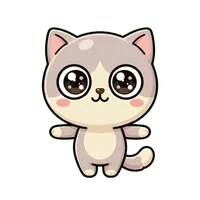
Mascofast generates a front-facing reference pose of your character, usually in 20–30 seconds. This first image is the one that matters most — every variant, pose, and animation made from here on is built to keep this exact character recognizable, not to generate a new-looking creature each time.
Branch into variants and poses
From that reference image, generate costume or accessory variants, a full art-style switch, or a new pose — a wave, a jump, a thumbs-up — while keeping the same underlying character. This is what separates a real mascot from a one-off AI image: you end up with a consistent cast of assets, whether that's a mobile game mascot reacting to a win or a SaaS mascot showing up across onboarding and empty states, not a single picture.
Animate it
Turn any pose into a short, looping animation. Mascofast renders the clip, then strips the background automatically so what you get back is a transparent, loop-ready GIF — the format that drops straight into a React component, an onboarding screen, an empty state, or a game UI without any extra editing.
Ship it
Download the reference image (PNG), variants and poses (JPEG), or the finished animation (transparent GIF) and use it commercially — everything you generate is yours, with no royalties or attribution owed.
.webp)
.webp)
Need inspiration? Browse mascot styles, use cases, and free mascot tools, or read the generator comparison before creating.