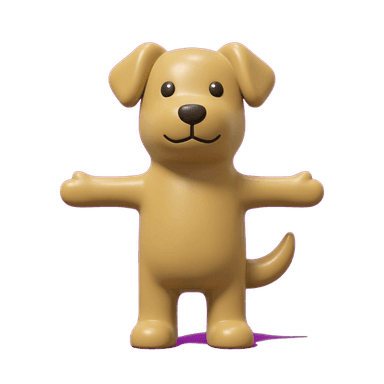
3D Render Mascot Generator
A clean, dimensional vinyl-toy-figure look. Smooth matte-to-satin material, soft studio lighting, and a simple friendly face. It's the same visual language collectible vinyl figure lines use for character merchandise — think Disney's Vinylmation, or Funko Pop. Simplified shapes, brand-accurate colors, and a finish that reads as a physical object even in a flat image. That's what makes it a strong fit for a mascot that needs to feel tangible, not just illustrated.
Generate a 3D Render MascotHow to generate one
Describe the character and its main colors — the generator handles the vinyl-figure shading and proportions for you. You'll get a reference image first, then can request additional poses or costume variants of the same character. From there, animate it into a loop with no extra design work.
Why this style
Vinyl-figure style mascots work for a simple reason: collectible figures are designed to be photographed, shared, and displayed on a shelf. Those are the same qualities that make a character work well as a small app icon, a sticker, or a profile avatar. The simplicity that keeps a physical figure cheap to manufacture is the same simplicity that keeps a digital version legible at 48x48 pixels — nothing gets lost when it shrinks.
Best for
- Brand mascots that need a clean, collectible-toy look
- App icons and profile avatars that should feel dimensional, not flat
- Merch-style branding — the kind of character that looks right as a vinyl figure
- Products planning to eventually produce physical merch (stickers, keychains, figures) from the same character
Good fit for
3D Render mascot FAQ
3D Render leans toy/vinyl-figure — simpler shapes, a plainer face, more like a collectible object. Pixar style is more expressive and character-driven, built for warmth over simplicity.